That is the example board, on a Thursday. Click it and try the lanes and the buttons.
What if the AI you want to use for your work could build the place you do it?
It can. Answer three questions, and the AI you already pay for builds your OS while you watch, for your role, on your computer. There is nothing to learn. Then you use it to do your work.
Three questions to start, about twenty in all as it gets to know you. About ten minutes to install, by our estimate. Your folder stays on your machine.
See it run
Try each piece right here. No new tab.
Flip the three screens you work from, then press a picture to see it run. Escape brings you back.
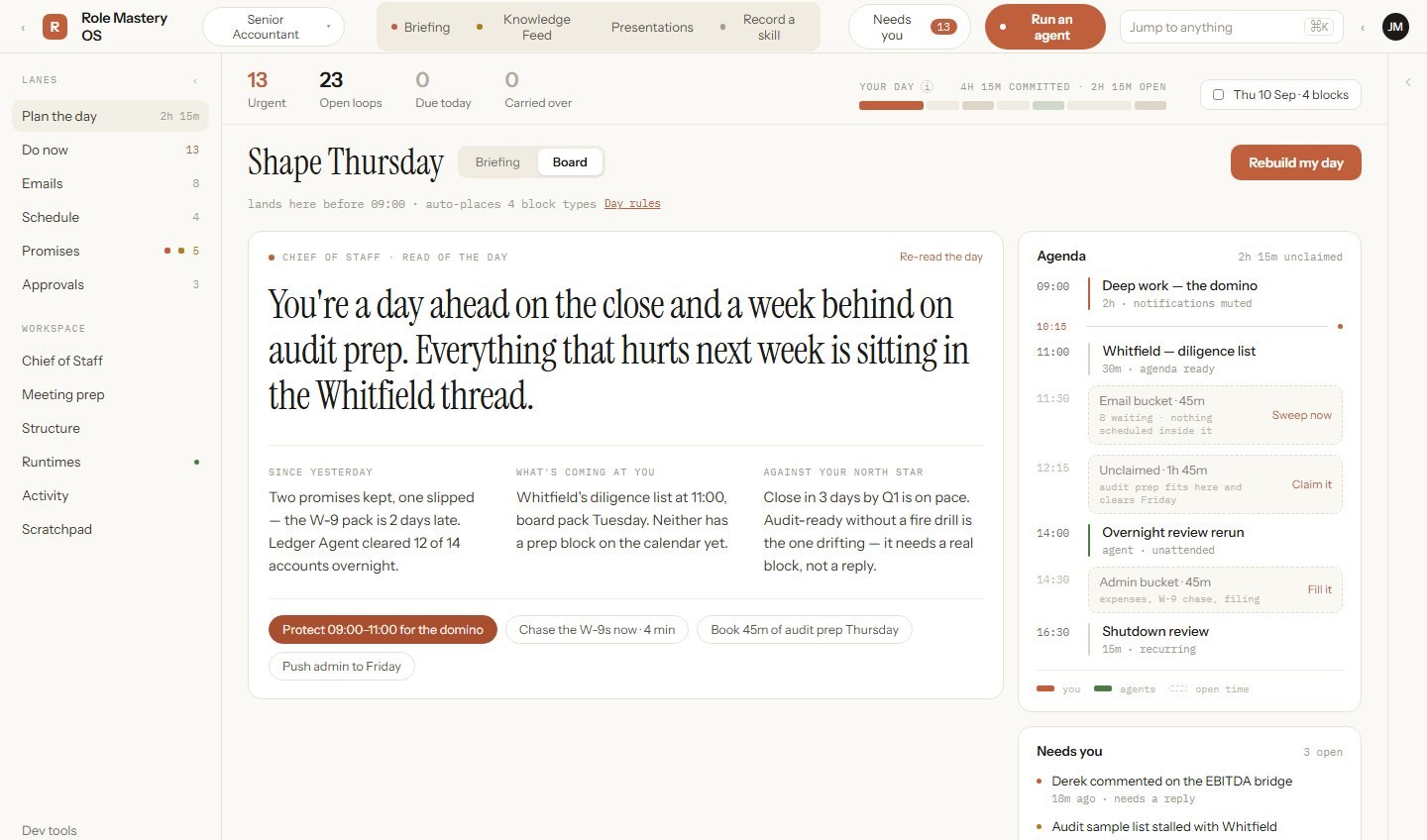
The board
The example board, on a Thursday
This page is the Chief of Staff. It opens first each day, and these are the three screens you work from.
- 1The Chief of Staff's read of your day, in one sentence.
- 2Open time, with a proposed use for it.
- 3What needs you, and nothing else.
A runtime
One small folder, one job you repeat
A job from your list gets its own folder: one good example, the steps, what it needs, and how done is checked. You press Run. It drafts. Nothing sends until you press Send.
The install
Run it on your own role
Three answers: your name, your role, your industry. It opens in a window on this page and hands you one small file to double-click.
Who this is for
People who can see where this is going.
- You know AI should give you back your time and your attention, and cost you less, not more.
- So far it has done the opposite: more time, more cost, more effort, for the same results.
- You know there is a better way, and you would rather try it on your real work than read about it.
Not for everyone, and that is fine.
- If you would rather not use AI at all, this will feel like a lot.
- If learning a new way of working sounds like a chore, it will be one.
- If the bigger picture does not interest you, the small picture here will not either.
How it works
Click. Answer. Installed.
Click
Press the demo button
It is at the top of this page. No account to make first, nothing to read first, and no email until you choose to keep your results.
Answer
Three questions
Your name, your role, and the industry you work in. That is enough for it to start.
Installed
Your OS, for your role
The folder is written where you chose, your engine is checked and signed in, and then it builds the map of your work and the pieces that run it. Then you begin your mastery.
Your name, role and industry go to the AI you already pay for, Claude, the same way a chat message does. Everything that comes back, the map, the drafts, the finished work, is saved only in your folder on your computer.
You
Three answers
Name, role, industry. Typed once.
Your engine
The AI you already pay for
Claude Max. It does the thinking.
Your computer
Your folder
The map, the drafts, the finished work. Yours.
What lands in the example install
- 00. Chief of Staff
- 01. Leadership & Strategy
- 02. Products & Offers
- 03. Marketing
- 04. Sales
- 05. Operations & Delivery
- 06. Customer Success & Support
- 07. People & Talent
- 08. Technology & Data
- 09. Finance
- 10. Legal, Risk & Compliance
- 11. Partnerships & External Relations
- 12. Company Systems & Improvement
13 function folders in an example install.
This is an example install. Yours is built from your answers.
Watch it · 52 seconds
One role, from the first answer to a planned day
You bring the role, it asks what is slowing you down, you tick what you want done and who does it, and the Chief of Staff runs the day.
This is an earlier cut. It shows five questions and a zip file dropped into a chat; today it is three answers and one file you double-click. Its example is a growth role, not the senior accountant on this page. Plays from YouTube, and only when you press play.
Why this, why now
It was never your fault that AI cost you more than it gave back.
Why it has been hard
The chat window forgets
Every session starts from zero. You became the memory, the file clerk, and the manager of a very fast intern. That is more work, not less.
Why now
The models finally know the job
Give one your role and your industry and it can already sketch most of what the role owns, from what it learned. You will see exactly how much when your map generates, before you have paid anything. A folder holds the rest.
Why trust this
The demo is the proof
It generates your map on your own engine before you have paid us anything. If the map comes out, the system can build.
What gets built, in plain words
Six things land in one folder on your computer.
Start here · 47 seconds
A folder for each job
Give your AI a folder for each job, put them in order, and it runs your role. This one film covers the map, the folders, the agents and the Chief of Staff below.
Plays from YouTube, and only when you press play.
Your engine
The AI you already pay for
An engine is the AI that does the thinking. Today that is Claude Max, on Windows. Mac and ChatGPT: ask us.
Folders
One for each part of the job
Leadership, sales, finance, operations, the rest. Each boxed and labelled, so nothing lives in your head alone.
Your map
Everything your role owns
Your work, in clusters, generated from your three answers. You strike whatever isn't yours.
Agents (runtimes)
Small helpers for the repeating tasks
Each one does a specific thing you do again and again: a report, an outreach, a reconciliation. A runtime can be an agent that thinks, a skill it loads, or a script that just runs. Drafts land. Nothing sends until you press Send.
Loops
The daily, weekly, monthly rhythms
The things that must happen on a schedule, kept moving without you standing over them. You only hear about the one that needs you.
The job description
Chief of Staff
- Owns
- The day's plan, the list of what is next, and the record of what happened.
- Decides
- Which runtime does which task, and what waits its turn.
- Never sends on its own
- Anything with money, a send button, or a promise to someone waits until you press Send.
- Reports
- Every morning: what landed, what stalled, what it needs from you.
Not a person, not a separate AI. A page that opens first each day, and the rules it runs by, written down.
Day one
You click. This is what changes.
Your day is already planned
One bar for the working day, each block real. Unclaimed time gets a proposed fill. You move what you like.
The one thing to do now is named
And why now. Who is accountable, which agent is on it, what it is waiting for.
Nothing sends until you press Send
Drafts are labelled drafts. Anything with money or a send button stops before it goes out.
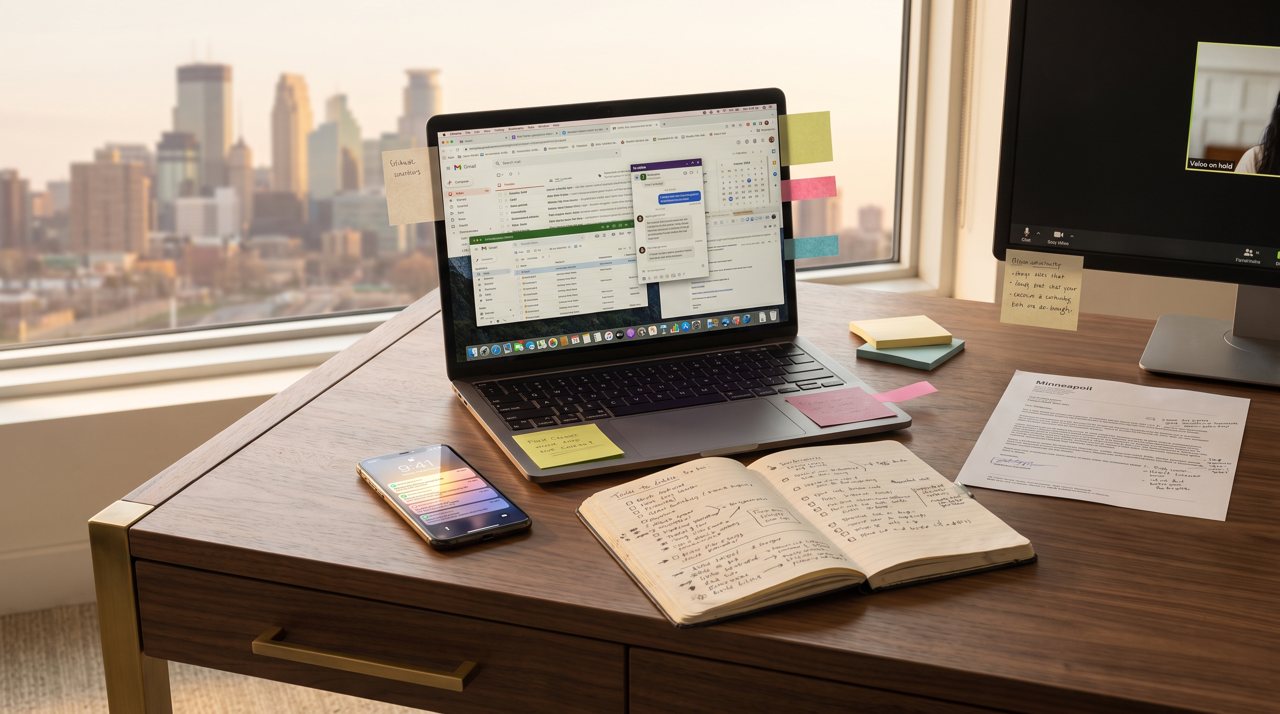 BeforeDay one
Drag the handle. Before: a dozen apps. Day one: one board.
One week in
Press the button. The work gets done, not just planned.
Imagine it is the Friday of your first week. You installed on Monday; that was day one. Four working days later, drafts land ready for you to read, and nothing sends until you press Send.
Before you sit down
The Chief of Staff has read yesterday
What landed, what stalled, what you promised in that meeting. You open to a short list, not a pile, and the first item already says why it is first.
Ten minutes of deciding
Handed the right tool
Each item names its runtime. Run it with one click, or build one on the spot. Like the nurse in the operating room, it hands you the right tool for the task in front of you. You are choosing, not typing.
The machine learns the job
Tell it what went wrong once
A call went sideways on Tuesday. You say so, and it changes the runbook, the list of steps that job runs through, so Thursday's call starts better without you remembering to be better.
Nothing left in your head
Every part of the role has a home
Goals, projects, deliverables, loops, and the agents that serve them, each in its folder, readable by you and by the next thing you run. If something breaks, you can open the hood: it is plain files.
Built is not the same as good
Every runtime carries a grade, 0 to 3
- 0It exists.
- 1It has done the job once, on a real example.
- 2It does it on your real work, and you signed off.
- 3It has been attacked on purpose and held.
A straight-A student is not the same as someone who has done the job, and nothing on your board pretends otherwise. When a runtime fails, the fix goes into the runtime, not into your memory, and the same test is run on everything like it. Each failure leaves the system a little stronger than it found it.
By that first Friday you are not learning a tool. You are running your role, and the role is written down.
The deeper watch · 4 minutes
What a runbook is
A runbook is a list of runtimes that run in order. Not instructions for a person: actions that run. The first minute is the idea; the rest opens one runtime and follows one real run. Its example is film-making, and the film was made by the runbook it describes.
Plays from YouTube, and only when you press play.
What comes back
Time
The ten-minute morning replaces the hour of working out what to do, every day.
Money
Runs on the plan you already pay for. Nothing rented, nothing billed twice, and repeat work can go to the cheapest engine that does it well.
Attention
One list, one next thing named, the rest waits its turn instead of all shouting at once.
Cognitive load
The role is written down. Nothing has to be carried in your head between Friday and Monday.
Yours, on your machine
Not rented space.
It stays
Everything you make stays in your folder
The maps, the drafts, the reports, the knowledge you build up. Usable by the next thing you do, not locked in a chat history that belongs to someone else.
Private models
Your own engine, if you want one
If you want the thinking itself running on hardware you control instead of a rented service, that option exists too. The partner and how it works are in Questions below, for when you are ready.
Its own walls
Built to run inside limits you set
Designed to run in its own space on your computer, with hard limits on what it can reach. Only what you ask the engine goes to the engine; everything that comes back stays here. Nothing irreversible happens without you.
Questions people ask before they install
Is it safe to run on my computer?
It is one folder on your machine. Nothing in it runs until you double-click Setup. Only your prompts go to the AI you already pay for, the same way a chat message does, and what comes back stays in the folder. Nothing sends until you press Send, and that includes anything with money. It is designed to run inside its own walls, with limits you set.
Why three questions before anything else?
Your name, your role, and your industry are the three things the map cannot be generated without. From those, the AI already knows most of what the role owns, and most later questions arrive already answered.
What does it build, exactly?
A map of your role's work, a folder for each part of the job, small agents for the tasks that repeat, the daily and weekly loops, and a Chief of Staff page that knows what happened and what is next.
Which AI do I need, and what does it cost me?
The demo and your first install run on the Claude Max plan you already pay for, on Windows. Mac and ChatGPT: ask us. Nothing bills you twice, and there is no charge from us to see your map. Later, if you want repetitive work done cheaper, you can add a pay-per-use key from another provider with a spending cap you set. Optional, and never needed to start.
Will it make things up?
Sometimes, like any AI. But we start with loud and honest labels, so you don't have to trust that it's right: a draft says it is a draft. Behind the labels there is quality control, with checks that run again and again in loops. Nothing sends until you press Send. Anything with money or a send button stops before it goes out.
How long does it take?
The first install is about ten minutes, most of it waiting. That is our estimate, not a measured number: it is longer if you still need to sign up for Claude Max, or if your connection is slow. Once you are inside, there are several deeper steps that fit the OS to you even better, about 15 to 20 minutes each, done whenever you choose. After that you open a bookmark.
What does it cost after the demo?
The demo, your map, and the first install are free and run on the plan you already have. You see your first results before anyone asks for anything. When you want to keep them, you create a login, and the pricing for the full system is shown to you then, before you are asked for anything.
What if I want the model itself to be private?
Through our partner charis.im you can run a private model on hardware you control, so the thinking is not rented either. It is something to ask for after your install. Nothing about the demo depends on it.
How do I uninstall it?
Delete the folder. There is no account to close and nothing left behind. Your maps and drafts are ordinary files, so copy them first if you want to keep them.
Click, answer three questions, and your OS is installed for your role.